
Available now
Alfie for Apple
iPhone · iPad · Mac
iOS and iPadOS 17 or later
A calmer alternative to budget spreadsheets
Alfie guides you through a real plan, keeps it easy to update, and shows what is safe to spend—without connecting a bank.
No bank connection · No ads · No AI

The app
Four moments, one calm budget. Scroll through the real screens.
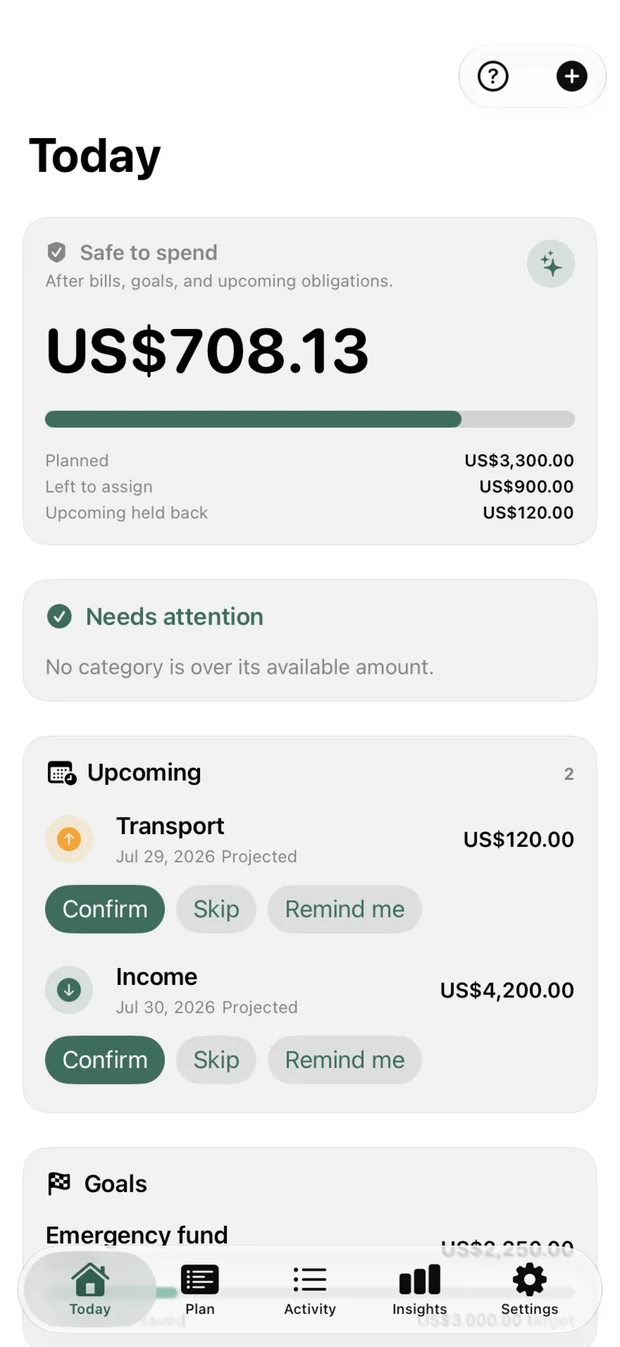
01Today
Open Alfie and the next decision is already made. One calm number for the day — not a spreadsheet interrogation.
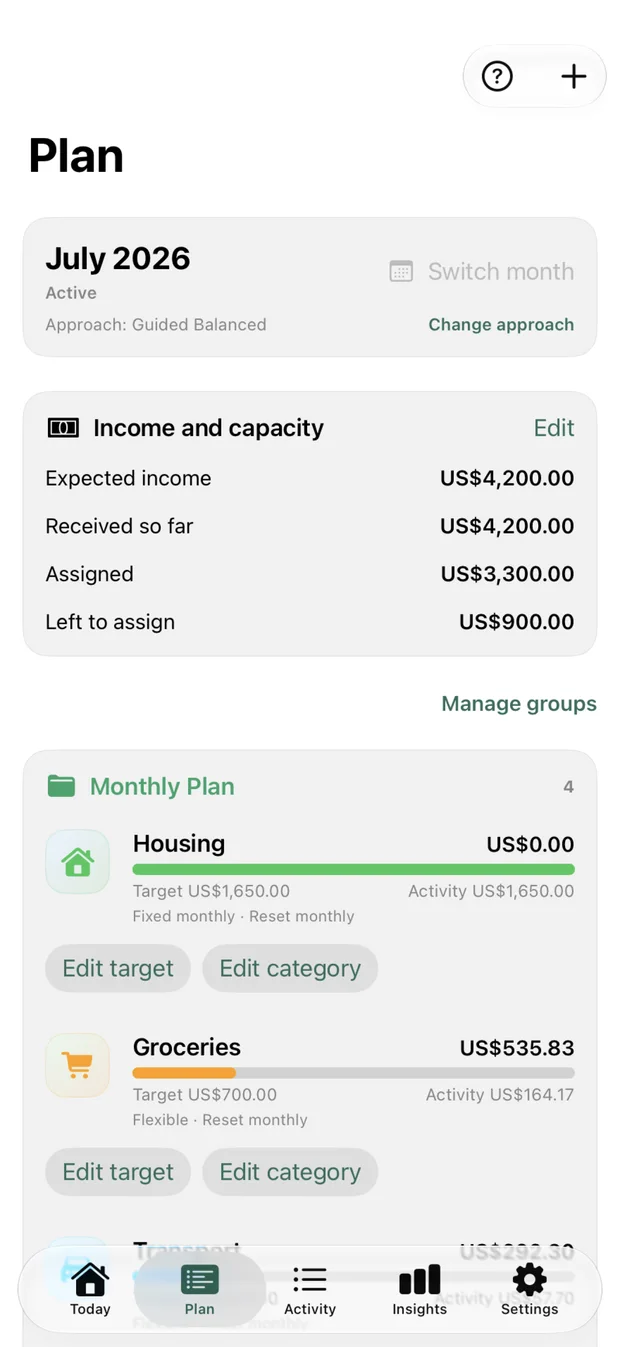
02Plan
Turn income, bills, and goals into a plan that fits the life you actually live. Adjust it in seconds when it changes.
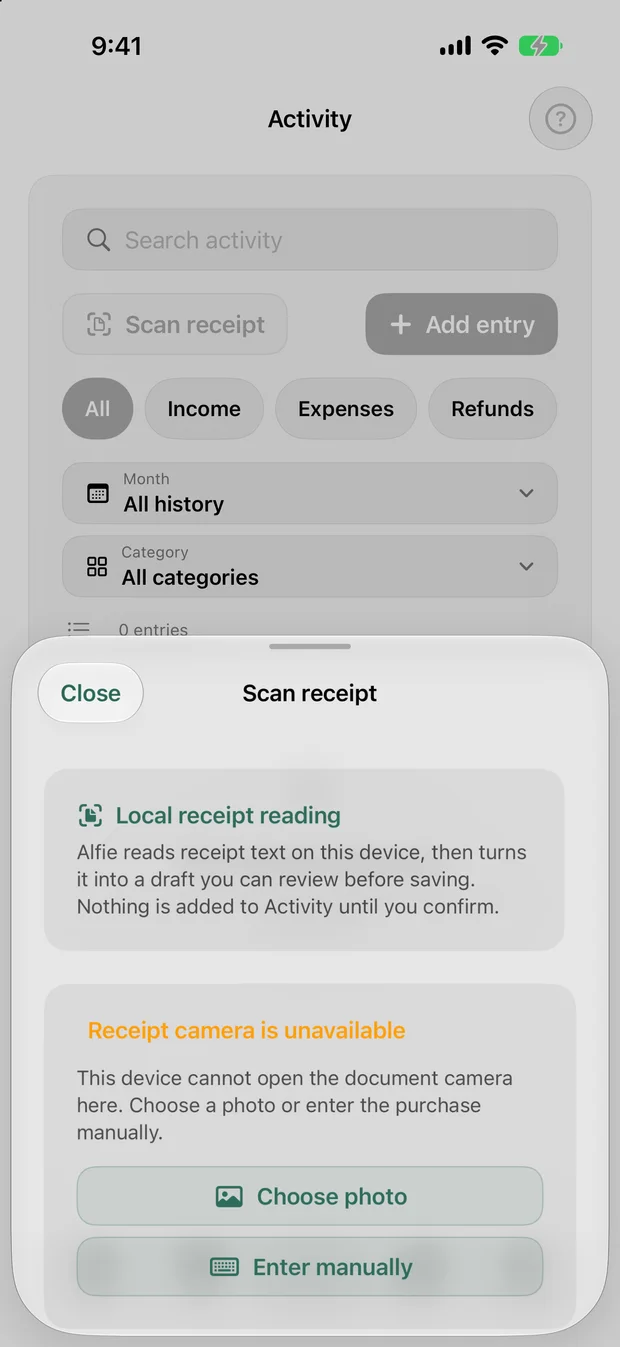
03Capture
Record spending as it happens. No bank link, no imports, nothing to authorize — your ledger stays yours.
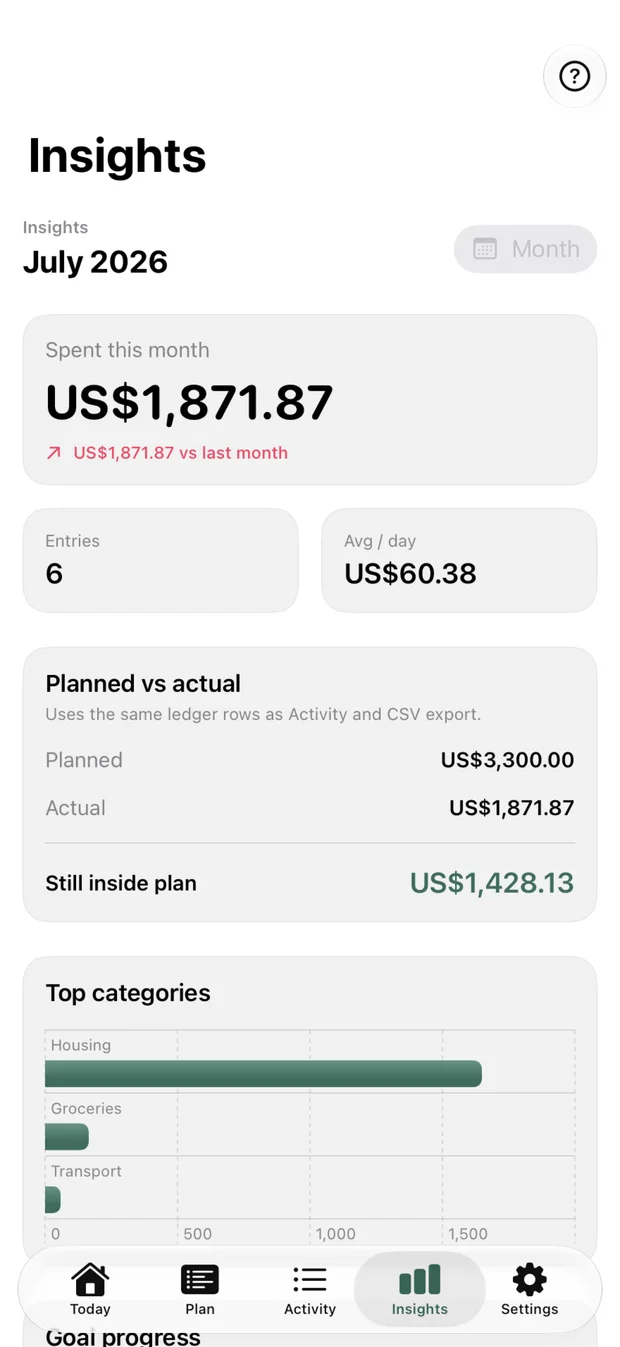
04Insights
Plain-language insight from your own numbers. No opaque scores, no AI advice, no surprises.
Alfie is the same app on each operating system. Your budget, sync, and purchases stay on the platform you choose.
Available now
iPhone · iPad · Mac
iOS and iPadOS 17 or later
Coming soon
Android phone · tablet · foldable · Chromebook
Android 8.0 or later
Purchases and budgets stay with the platform you choose.
Alfie is manual by design. Start with a guided budget, assign income intentionally, and adjust your plan as real life changes.
Build your first budget around the money, bills, and goals that matter now.
Record spending yourself and see what is safe to spend before the next choice.
Use clear insights and planning tools without handing your financial life to an algorithm.
Alfie creates your actual budget during setup. You reach a useful plan before Premium ever enters the conversation.
Alfie delivers the same budgeting outcomes through native Apple and Android apps while keeping your data on the operating system you choose.
Your operating system determines your devices, storage, sync, store, and Premium access. Alfie never silently moves that relationship across platforms.
Available now
iPhone · iPad · Mac
On-device storage with private iCloud sync across Apple devices. Alfie Basic is free forever with one active manual budget.
Coming soon
Android phone · tablet · foldable · Chromebook
Android is in development. Alfie Basic will keep one active manual budget free forever, with local-only use and optional Google Drive app-data sync.
No bank connection, no ads or third-party analytics, no generative financial advice, and no Alfie server holding your financial data.
You decide what to enter. There is nothing to link, import, or authorize.
Your budget is not a profile to monetize.
Alfie uses authored guidance, not generative advice about your finances.
Apple and Android have separate stores and entitlements. See the same Premium plans and prices for the operating system you use.
Explore Premium by platformNo shared login, household budget, web dashboard, migration path, or cross-platform entitlement service.
Alfie is one private, offline-first manual budgeting app, built natively for Apple and Android.
Alfie for Apple is available for iPhone, iPad, and Mac. Alfie for Android is in development for Android phones, tablets, foldables, and Chromebooks.
No. Alfie has no bank connection, advertising or third-party analytics SDKs, generative financial advice, or Alfie financial-data server.
No. Apple budgets do not sync to Android, Android budgets do not sync to Apple, and purchases stay with the platform where they were made.